Uploading Estimates
After completing and committing your estimate, you can upload it to the insurance company.
How to
 Upload a committed estimate
-
After committing your estimate, return to the Assignment Details page using the assignment link provided by the insurance company.
-
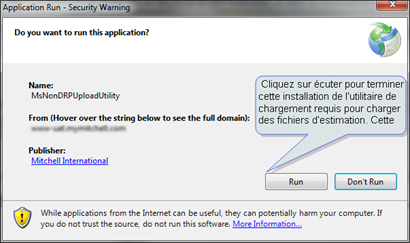
Click Upload Estimate. (Optional) If this is the first time you are uploading estimates, you will be asked to perform a one-time installation of the uploader utility.
-
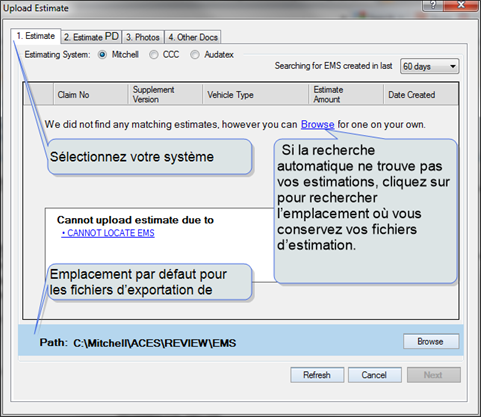
Select your estimating program, e.g., Mitchell.
-
Select an estimate to upload.
- If WorkCenter does not automatically display your estimates, click Browse to go to the location where your estimating software keeps its estimating files for export.
-
Click Next to go to the next Upload Estimate tab or click Cancel to leave the Upload Estimate workflow.