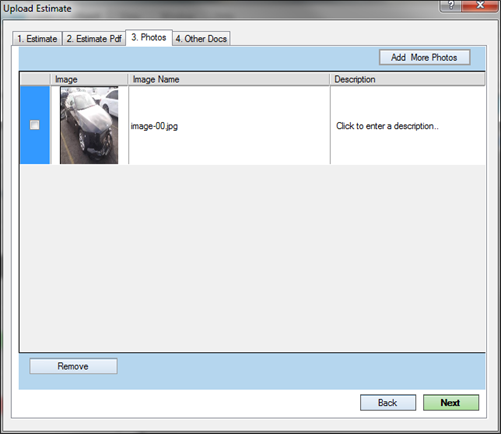
Uploading Photos
Now that you have attached your committed estimate, you can select photos in JPEG format for upload.
Important: Photos must not exceed 4 megabytes.
How to
 Upload photos
-
After attaching your committed estimate, click Add Photo(s) from the Upload Photos tab.
-
Select the photos to upload with the committed estimate.
-
(Optional) Click Add More Photos to add more photos.
-
(Optional) Enter a Description for one or more of the photos.
-
Click Next or click Back to go to another Upload Estimate tab.