Create and Edit Dispatch Teams
Dispatch Centers and Teams are organizational groups for managing work assignments. In WorkCenter, create and manage teams of resources associated with a center to help manage the work of large Dispatch Centers.
How to
 Create a Dispatch Team
-
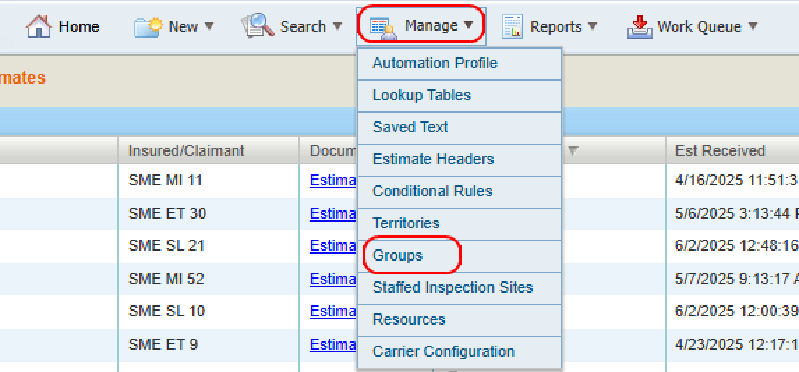
On the Manage menu in the navigation bar, select Groups.
-
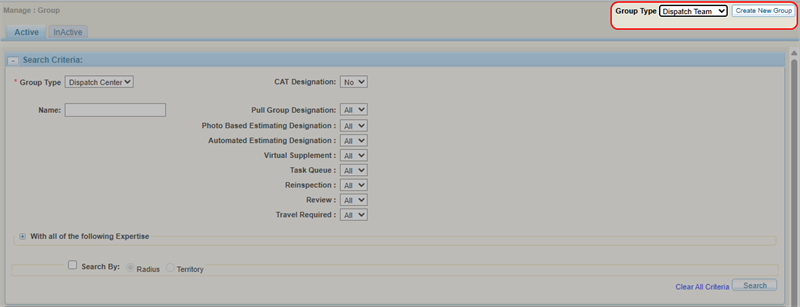
Select Dispatch Team from the list.
-
Select Create New Group.
-
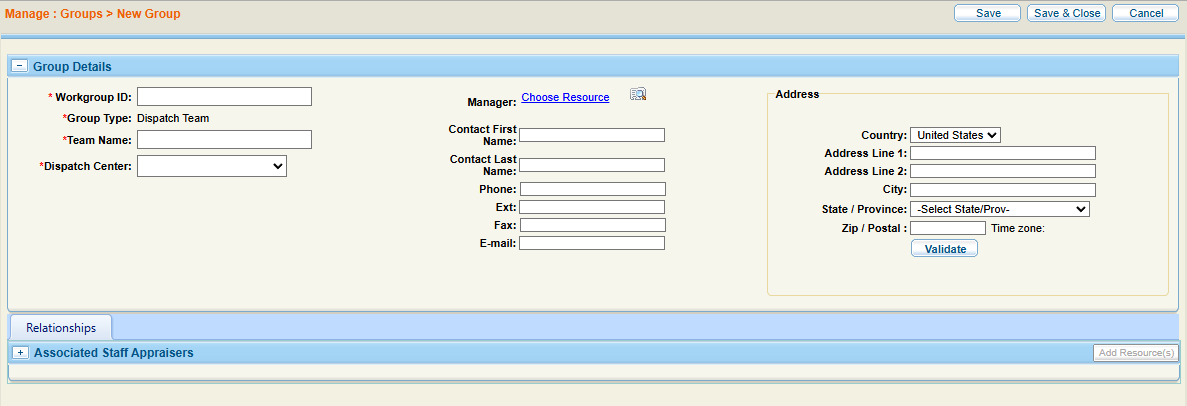
Complete the required information in the Group Details section.
-
Optionally, add resources to the dispatch team.
-
Select Save to save your information and continue working, or select Save & Close to save and finish.
Search for Existing Dispatch Teams
-
On the Manage menu in the navigation bar, select Groups.
-
Select the Active or InActive tab.
-
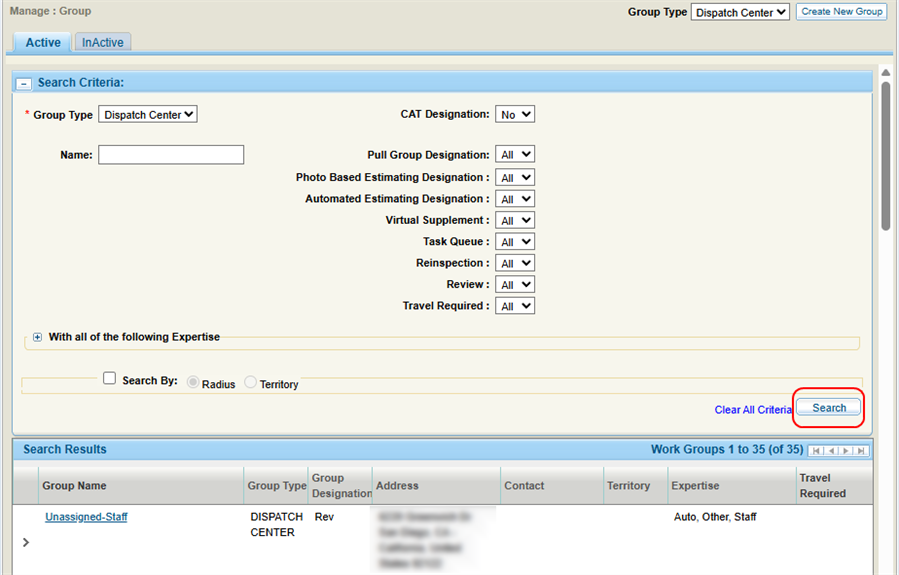
Enter the desired search criteria.
-
Select Search.
-
View the search results on the page.
Edit a Dispatch Team
-
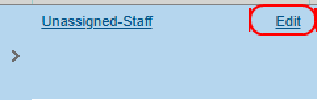
On the Search Results list, select Edit next to the desired group's name.
-
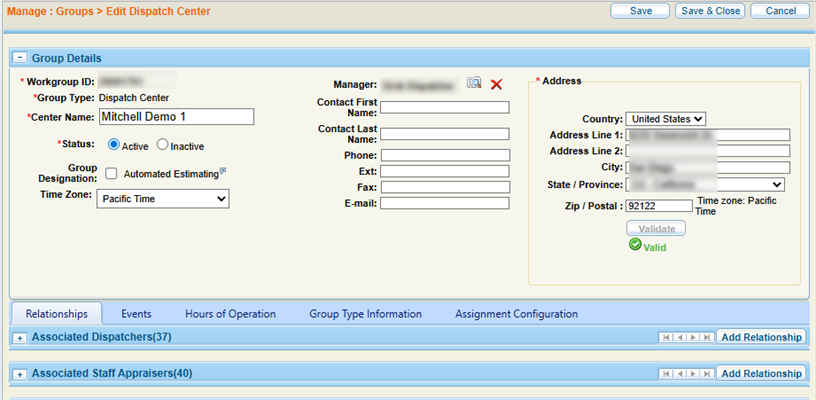
On the Edit Dispatch Center page, edit the group's information as necessary.
-
Select Save & Close.
Add Associated Relationships
-
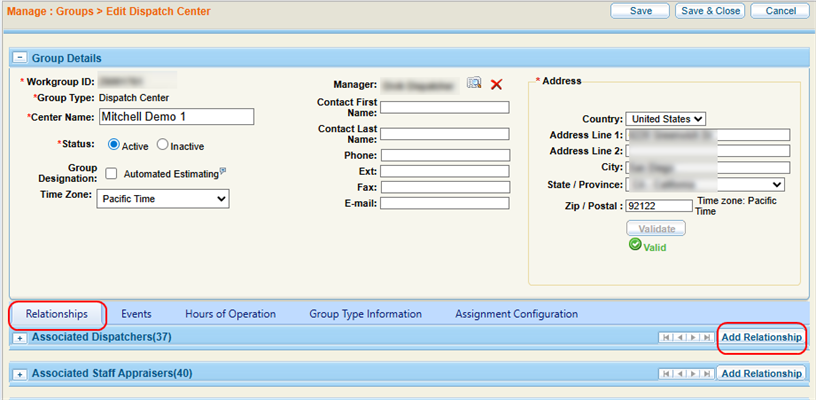
On the Dispatch Team page, select the Relationships tab.
-
Select
 to expand the appropriate relationship section and view the group's relationships of that type.
 -
Select Add Resources in the desired section.
-
In the Add Relationship window, Use Resource Lookup to Select a Resource
-
Select the desired resource(s).
-
Select Save.
Delete Associated Relationships
-
On the Edit Dispatch Center page, select the Relationships tab.
-
Select
to expand the appropriate relationship section and view the group's relationships of that type. -
Select the relationship you want to delete.

-
Select Remove from Team.
Reference
Dispatch Center Search Criteria
| Name | Definition |
|---|---|
| Group Type | Select Dispatch Team. |
| Dispatch Center | Select the Dispatch Center with which the team is associated from the list. |
| Name |
The dispatch team's name. |
| Search by Radius | Select a distance radius and enter an address to see resources within the distance radius. |
| Search by Territory | Enter an address to see resources within the territory. |
Dispatch Center Search Criteria
| Name | Definition |
|---|---|
| Group Type | Select Dispatch Center. |
| Name | The name of the dispatch center. |
| CAT |
Whether the dispatch center is able to manage emergency assignments. |
| Pull Group | Whether all resources associated with the center can pull both appraisal assignments and estimate review tasks. |
| Photo Based Estimating | Whether the center manages Photo Based Estimates. |
| Automated Estimating | Whether all resources associated with the center can receive auto-generated estimates. |
| Virtual Supplement | Whether the center is able to assign work to virtual appraisers for remote review, and route any work back to an in-person dispatch center if in-person handling is needed. |
| Task Queue | Whether the center centralizes tasks and distributes them based on hierarchy and zip code. |
| Reinspection | Whether the dispatch center manages reinspection tasks. |
| Review | Whether the dispatch center manages review tasks. |
| Travel Required | Whether travel is required or not for the dispatch center. |
| With all of the following Expertise | Select to expand the section and select the check box(es) next to any areas of expertise. |
| Search by Radius | Select a distance radius and enter an address to see resources within the distance radius. |
| Search by Territory | Enter an address to see resources within the territory. |
Group Details Section
| Name | Definition |
|---|---|
| Workgroup ID | The ID number for the group. |
| Group Type | Dispatch Center or Dispatch Team. |
| Center / Team Name | Enter a name for the group. |
| Status |
Dispatch Center only. Select Active or Inactive. The associated resources and their shifts become available for other uses but remain associated with the inactive site. |
| Dispatch Center | Dispatch Team only. Select an associated Dispatch Center for the team. |
| Group Category |
Select one of the following:
|
| Time Zone | The time zone where the group is located. |
Manager: Choose Resource  |
Assign a manager to the site. Do one of the following:
|
| Address | Enter the site address. |
| Validate | Select Validate to validate that the address entered is correct. |
Related topics
