Manage Networks
Use networks to group your connections so that you can easily send private conversations to several people simultaneously. You can create a network of coworkers, a network of colleagues who are working on the same job, and other related connections.
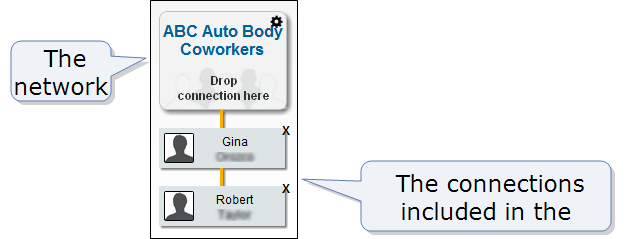
Note: When you join Hub, Hub automatically creates a network for you called My Shop. This network includes all of your coworkers who use Hub. Hub maintains the My Shop network, so it can't be deleted, renamed, or otherwise modified.
How to
 Add a network
- To open Hub, click

- Click My Networks.
-
Click Add new network. A text box appears.
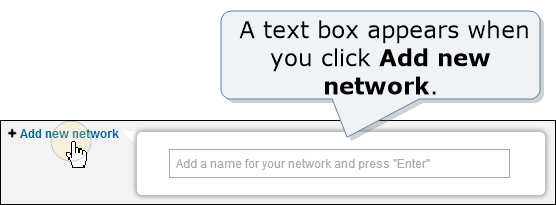
- Type a name for the network and press Enter.
Delete a network
- To open Hub, click
- Click My Networks.
- Click
 for the network, and then click Delete.
Rename a network
- To open Hub, click
- Click My Networks.
- Click for the network, click Rename, and then type a new name.
Manage network connections
- To open Hub, click
- Click My Networks.
- Do one of the following:
- To add a connection to a network, drag the connection to the network.
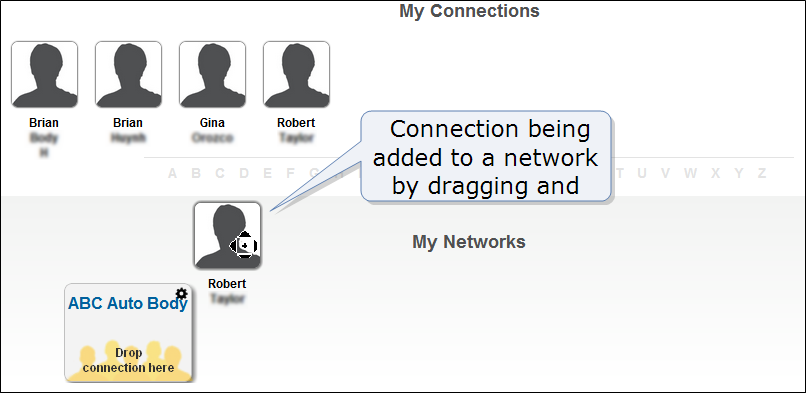
- To delete a connection from a network, click
 next to the connection's name.
Related topics