Compliance Tab
The compliance results and comments in the Compliance Tab show any warnings/failures found when checking the estimate against compliance rules in Mitchell Cloud Estimating.
On the Compliance tab, you can:
-
View the compliance results.
-
View any comments on the results left by the estimator
-
Add comments.
How to
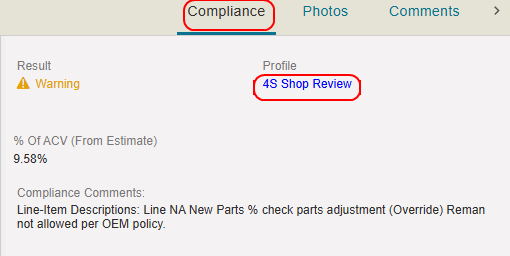
 View Compliance Tab
- On the Review Estimate page, select the Compliance tab.
- Select the Profile to view the Compliance Profile and rules the estimate was checked against.
View and Edit Estimate Compliance Lines
-
Navigate to the estimate's annotation page.
- Select the Compliance tab from the tabs to the right of the estimate view.
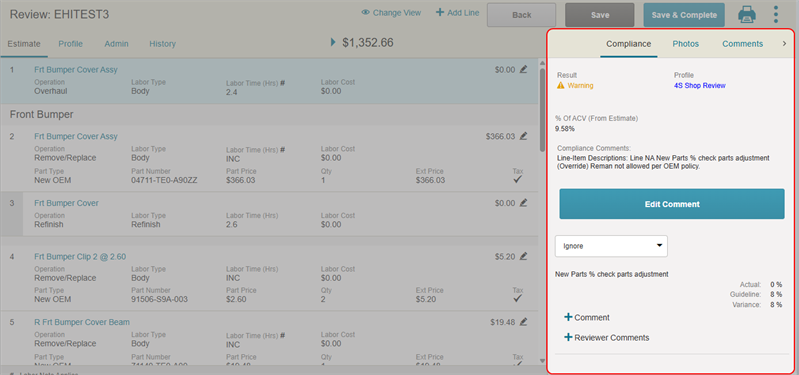
- Scroll to view the list of compliance warnings/failures, as well as any comments about them made by the estimator.
- Select the Profile to view the Compliance Profile and rules the estimate was checked against.
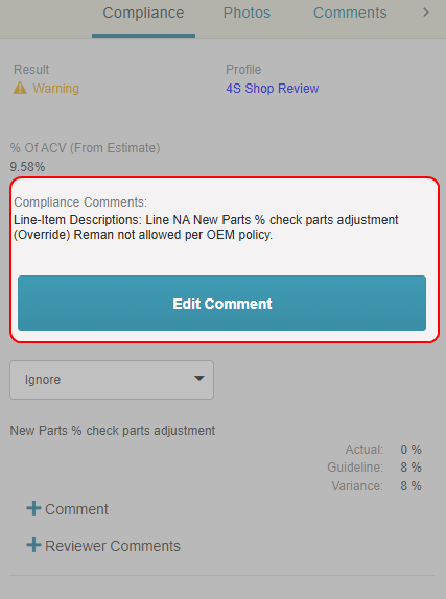
- Select Edit Comment to edit the compliance comments that apply to the estimate as a whole.
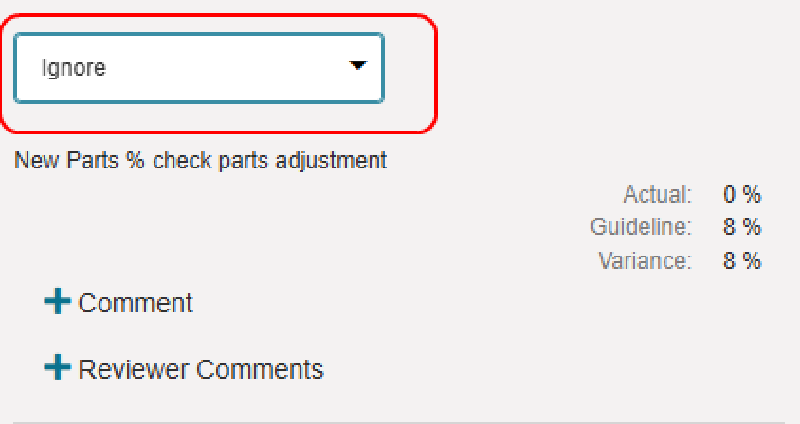
- For each individual compliance item, select the list to change its label (e.g. Comment, Warning, Error, Ignore).
- Select + Comment on a compliance item to view the compliance comments left by the estimator that are associated with that item.
- Select + Reviewer Comments to add your comments about the compliance item and any changes you made.
- Select Save.
Reference
Compliance Tab Components
| Name | Description |
|---|---|
| Result | The result of the estimate compliance check. |
| Profile | The name of the compliance profile the estimate was run against. |
| % of ACV (From Estimate) |
The estimate Gross Total amount is shown as a percentage of the ACV (Approximate Cash Value) of the vehicle. |
Compliance Severity Icons
| Name | Description |
|---|---|

|
A compliance failure. |

|
A compliance warning. |
 / / |
No warnings/failures found. |
Related topics
