Annotate an Estimate
Annotate the estimate to suggest changes before you send the estimate back to the appraiser for correction. You can add and modify individual line items in the compliance summary and estimate.
How to
 Annotate an Estimate Line
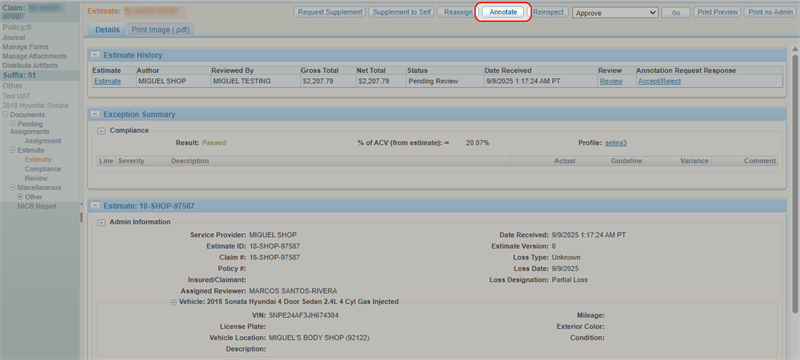
- Navigate to the details page of an estimate.
- Select Annotate.
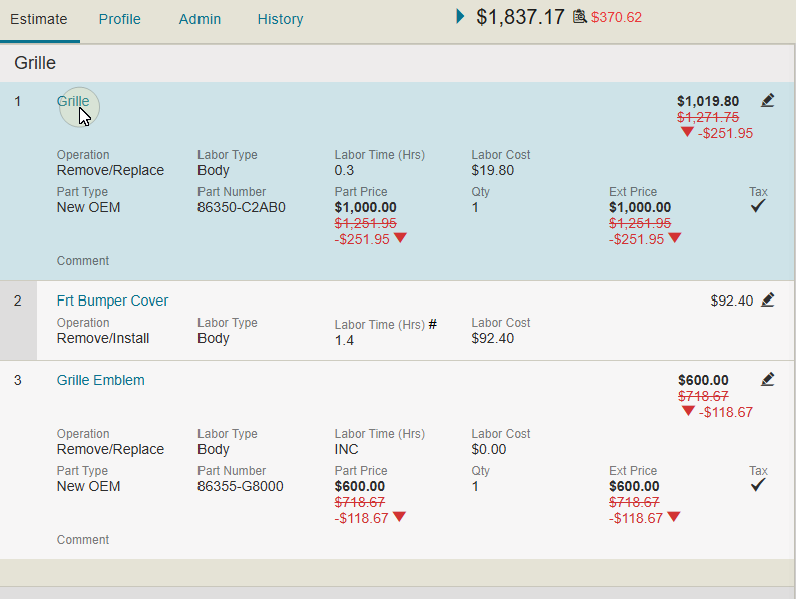
- Select the line item you want to edit.
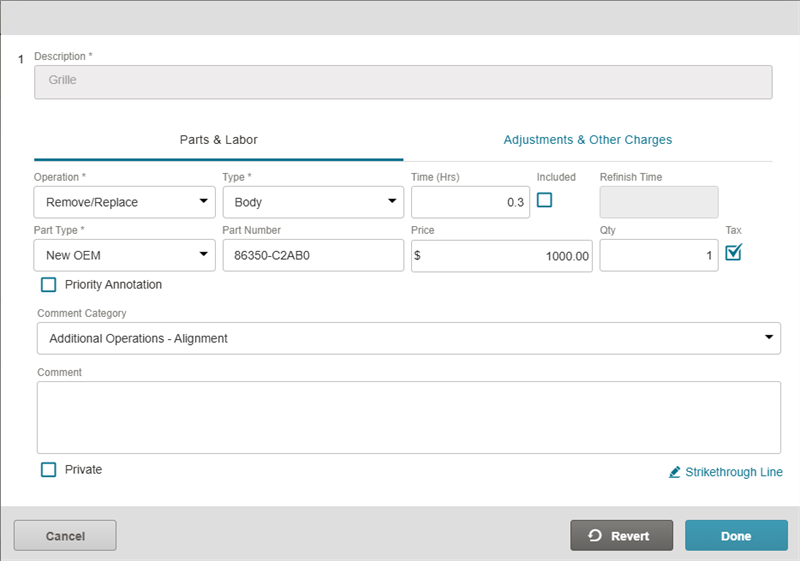
- In the Annotation window, review and modify estimate information as needed.
- Select Done.
Note: You cannot annotate approved estimates. To annotate an approved estimate, you must first Reopen an Estimate Review.
Add a New Line Item
- Navigate to the details page of an estimate.
- Select Annotate.
- Select + Add Line.

- In the Annotation window that opens, fill out the line item information as needed.
- Select Done to add the new line to the estimate.
Revert an Estimate Line
To undo the changes you made while annotating:
- Navigate to the details page of an estimate.
- Select Annotate.
- Select the line item you want to revert.
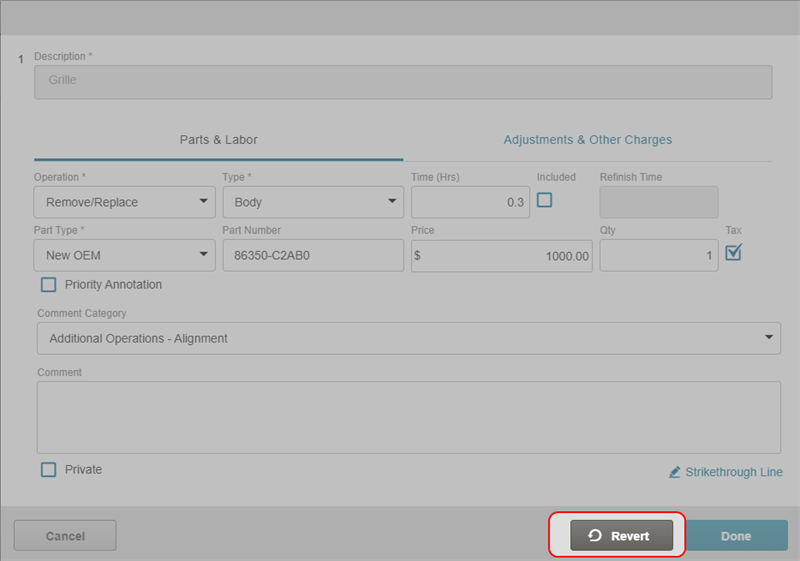
- In the Annotation window that opens, select Revert.
Strike Through an Estimate Line
- Navigate to the details page of an estimate.
- Select Annotate.
- To the right of the line item you want to strike through, select the Strike through icon
 .
.
Strike Through an Estimate Line from the Annotation Window
- Navigate to the details page of an estimate.
- Select Annotate.
- Select the desired line.
- In the Annotation window, select Strikethrough Line.
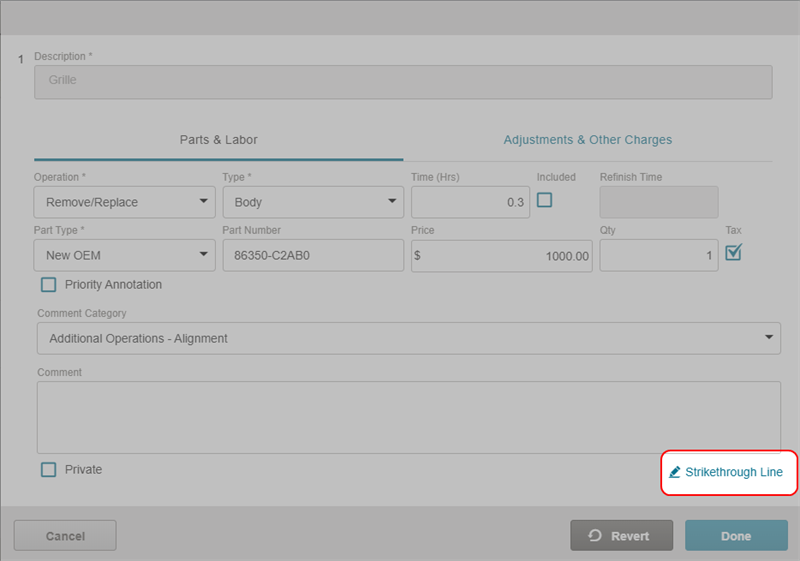
- Select Done.
Change the Estimate View
- Navigate to the details page of an estimate.
- Select Annotate.
- Select Change View.

- Select the check box beside the list items that you want to see in the estimate view.
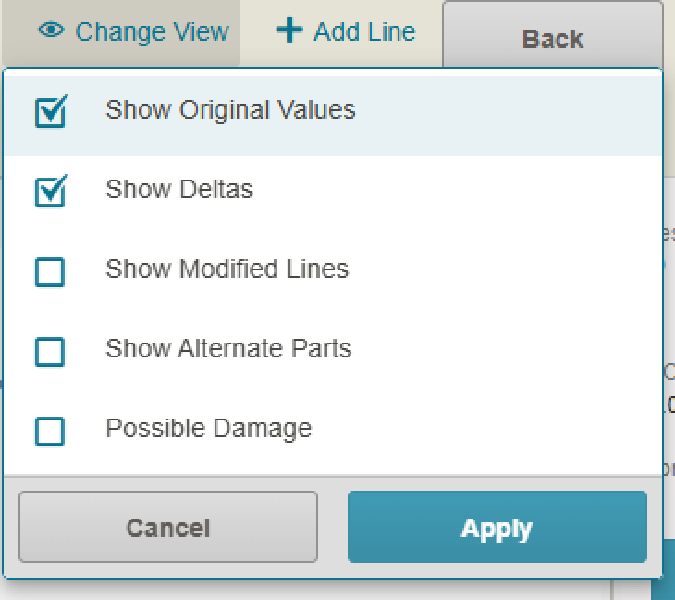
- Select Apply.
Save Changes to the Annotated Estimate
To save your annotations:
- Select Save to save your changes and continue working on the annotations.
- Select Save & Complete to save your changes and complete the annotation process.

Reference
Line Item Descriptions
| Name | Description |
|---|---|
| Operation | The type of operation. |
| Labor Type | Labor type including body or paint. |
| Labor Time | The labor time in hours. |
| Labor Cost |
The calculated cost of labor. |
| Part Type | New or existing part. |
| Part Number | Manufacturer identification number for the part. A  next to the part number indicates there are alternate parts. Select to view the Parts Audit List. next to the part number indicates there are alternate parts. Select to view the Parts Audit List. |
| Part Price | The price of the part. |
| Qty | Quantity. |
| Ext Price | The quantity of parts. |
| Tax | Select if tax is included. |
| Comment Category | The reason the repair line was annotated (such as Safety Issue, Quality Concern, etc.). |
| Comment | Any additional comments about the annotation. |
Annotation Window: Parts & Labor Tab
| Name | Description |
|---|---|
| Operation | Select the operation from the list. |
| Type | Select the type of operation from the list. |
| Time | Enter the time for the operation in hours. |
| Included |
Select the check box |
| Refinish Time | The time allotted to refinish a panel. |
| Part Type | Select the type of part used in the operation from the list. |
| Part Number | The part number for the part used. |
| Price | The price of the part. |
| Qty | The quantity of parts. |
| Tax | Select if this part or item should be taxed. |
| View Alternate Parts | Select to view the Parts Audit List if alternate parts are available. |
| Priority Annotation | Select the check box to mark the annotation as a priority. |
| Comment Category | Select a reason for the annotation from the list. |
| Comment | Enter any additional comments to be sent to the appraiser. |
| Private | Select the check box to make the annotation private. |
Annotation Window: Adjustments & Other Charges Tab
| Name | Description |
|---|---|
| Other Charges | Select any other charges from the list. |
| Amount | Enter the charge amount. |
| Adjustment Type | Select any adjustment types from the list. |
| Amount |
Enter the adjustment amount. |
| Priority Annotation | Select the check box to mark the annotation as a priority. |
| Comment Category | Select a reason for the annotation from the list. |
| Comment | Enter any additional comments to be sent to the appraiser. |
| Private | Select the check box to make the annotation comment private. |
Estimate Version Indicators
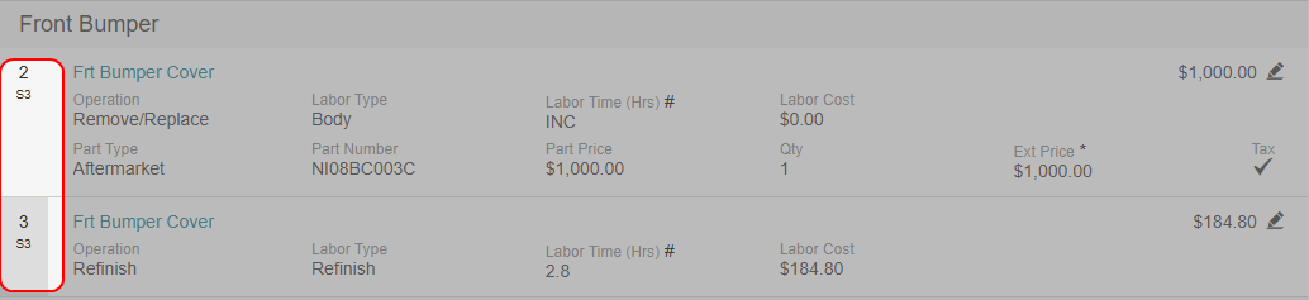
Estimate Version Indicators (D2, D3, S1D2) display next to repair line items to identify the draft or supplement version in which the lines were added or modified.
Note: If a line is modified in multiple versions, only the most recent version indicator is shown.
Related topics
