Reopen an Estimate Review
If necessary, you can reopen an estimate that has been Approved, Recommended for Total Loss, Rejected, or Manually Closed, in order to revise the decision made. You can only reopen the latest version of the estimate.
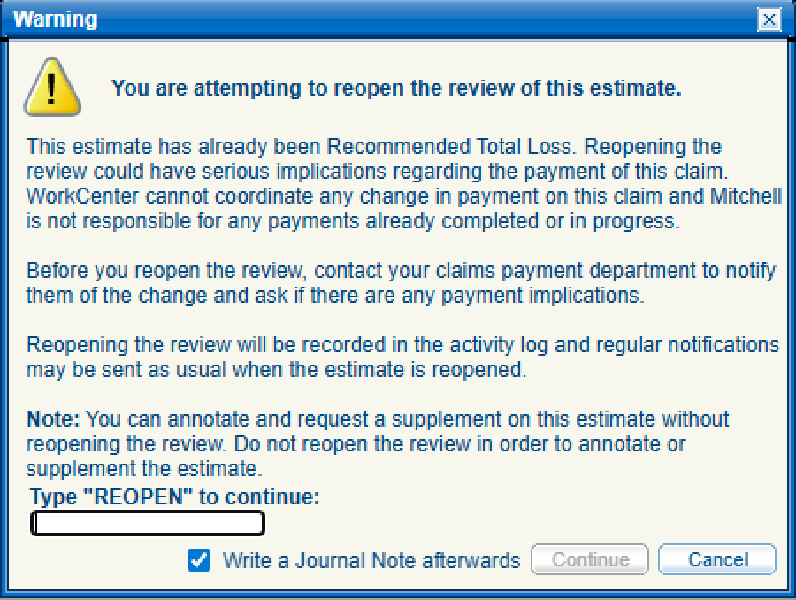
Warning: Reopening the review could have serious implications regarding the payment of the claim. WorkCenter cannot coordinate any change in payment on the claim and Mitchell is not responsible for any payments already completed or in progress.
It is recommended to contact your claims payment department to notify them of the change and ask if there are any payment implications.
Note: You can annotate and request a supplement on a manually approved or auto-approved estimate without reopening the review. See Annotate an Estimate and Request a Supplement for more information.
How to
 Reopen an Estimate Review
-
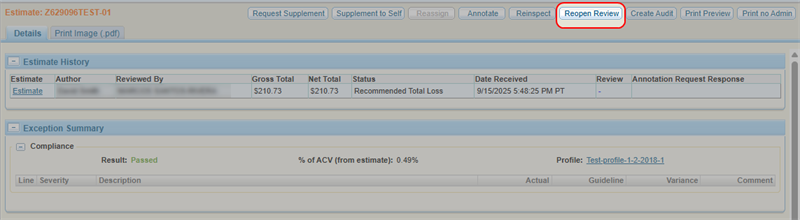
Navigate to the desired estimate's details page.
-
On the Estimate Details page, select Reopen Review.
-
In the Warning window that appears, type REOPEN.
-
Select the check box next to Write a Journal Note afterwards to write a note about why you are reopening the review.
-
Select Continue.
-
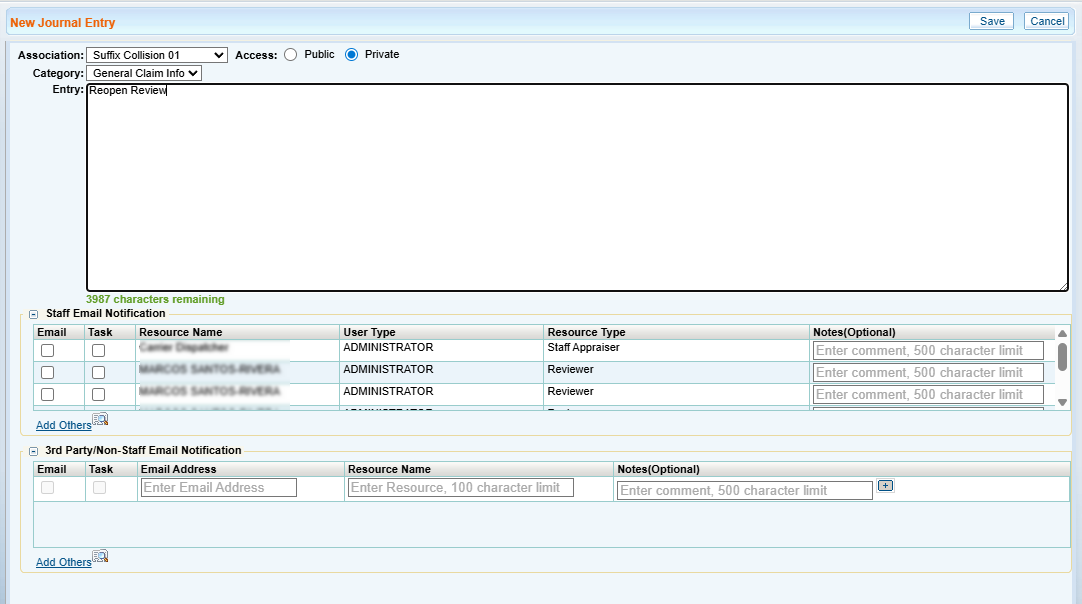
In the Journal Entry window, enter any applicable notes.
-
Select Save.
 Related topics

