Edit a Suffix
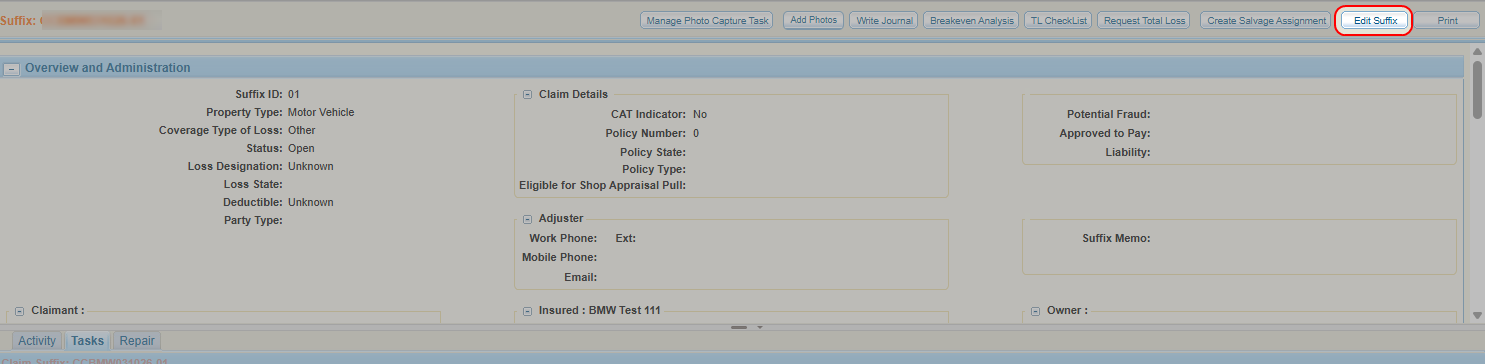
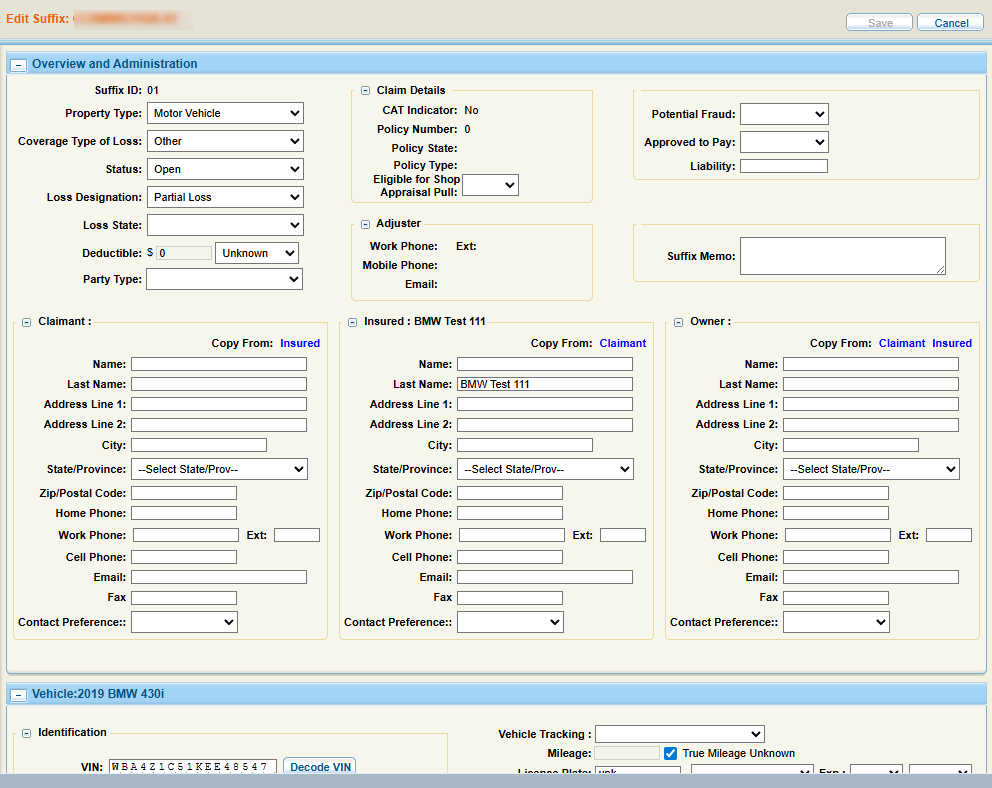
You can edit the details of a suffix.
How to
Reference
 Overview and Administration Field Descriptions
| Name | Description |
|---|---|
| Property Type | Select the type of property involved in the claim-suffix. |
| Type of Loss | Select the type of loss (e.g., collision, fire, etc.) from the list. |
| Suffix Status | The status of the suffix. |
| Loss Designation |
Select the designation of the loss (e.g., Total Loss or Partial) from the list. |
| Loss State | Select the state where the loss occurred. |
| Deductible | Enter the deductible associated with the policy if known and select its status as Waved, Unknown, or Not Waived from the list. |
| Claimant, Insured, and Owner |
Each section contains the contact information for the various parties associated with the claim-suffix. |
| Potential Fraud/Approved to Pay | Select Yes or No from the list. |
| Liability | Enter any liability. |
Vehicle Field Descriptions
| Name | Description |
|---|---|
| VIN | If you have the Vehicle Identification Number (VIN), enter it in the spaces provided, and select Decode VIN. |
| Decode VIN | Select Decode VIN to decode the VIN and complete the vehicle description fields based on the Vehicle Identification Number. |
| VIN Not Available | Select this option if you do not have the Vehicle Identification Number. Then, complete the description fields in order. |
| Vehicle Type |
Select the type of vehicle from the list.
|
| Year | Select the year the vehicle was manufactured. |
| Make | Select the manufacturer of the vehicle. |
| Model | Select the model of the vehicle. |
| Sub-Model | Select the sub-model of the vehicle. |
| Body Style | Select the body style of the vehicle. |
| Engine | Select the type of engine used in the vehicle. |
| Transmission | Select the type of transmission used in the vehicle. |
| Drive Train | Select the drive train used in the vehicle. |
| Fuel Type | Select the vehicle's fuel type. |
| License Plate |
Enter the vehicle license plate number, the state/province where the vehicle is registered. |
| Exp. | Select the registration tag expiration month and year from the lists. |
| Exterior Color |
Select the color of the vehicle from the list. |
| Mileage (in miles) | Enter the odometer reading or select True Mileage Unknown. |
| Drivable | Select Yes or No from the list. |
| Prior Damage | Select Yes or No from the list. |
| Primary POI | Select the Primary Point Of Impact from the list. |
| Secondary POI(s) | Select the Secondary Point(s) Of Impact from the list if any. To select more than one Secondary POI from the list, press the Ctrl key on your computer keyboard while clicking the item. |
| Damage Description | Enter any notes that may explain the cause or details of the damage. |
| Location | The details of the vehicle's location including its name, address, and phone number. |
Related topics