Journal
Use journal entries to communicate with your business partners within the claim itself. This ensures critical communications are not lost in phone conversations and e-mail.
Using the journal for communication allows you to:
-
Add New Journal Entries directly within claims
-
Send Email Notifications about entries to staff and non-staff resources
-
Assign journal-related tasks to staff members
-
Track all communications about the claim in the Activity Log
Access to journal entries is set to private (viewable only to insurance staff at the same company) by default, but you can change the visibility of an individual entry. Public entries are also accessible to affiliated shops and independent appraisers. You can also configure your default preference in the My Account window.
Note: After a journal entry has been saved, it is a permanent record and cannot be deleted.
How to
 View the Journal
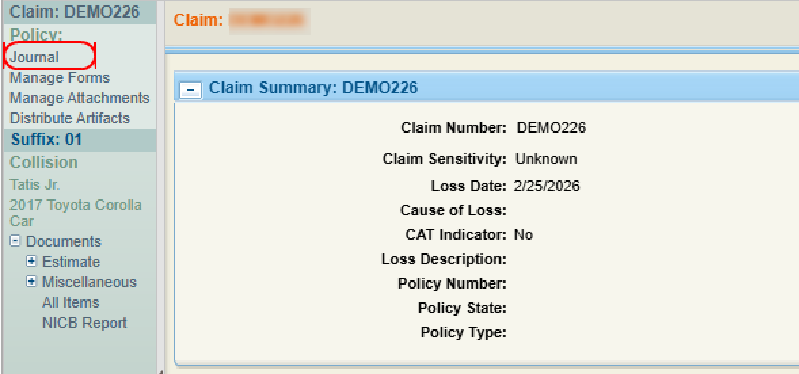
- Navigate to the desired claim and open it.
- On the claim navigation pane, select Journal.
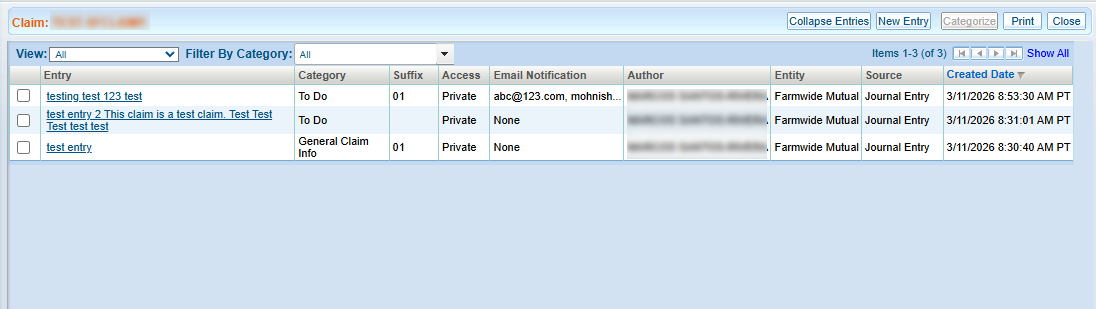
- In the Journal window, view a list of all journal entries associated with the claim.
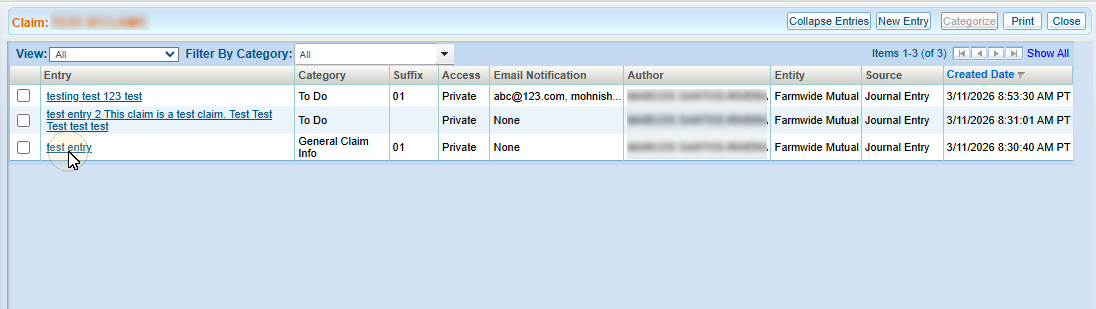
- Select an entry to view it.
Filter the Journal Entry List
-
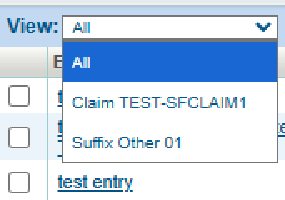
Filter the View as needed. You can filter the Journal Page list to show all entries or only those associated with the claim or a suffix.
-
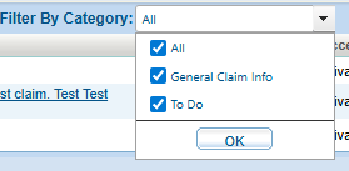
On the Filter by Category list, select the checkbox next to each category you want to display in the list.
-
Select any column heading to sort the Journal Page list. A
 next to the column heading indicates ascending order. A
  next to the column heading indicates descending order.
Reference
Column Descriptions
| Name | Description |
|---|---|
| Entry | Select the text of the entry to view the entry's details. |
| Category | The category of journal entry (Contact Info, General Claim Info, Other, Rental, To Do, Total Loss). |
| Suffix | The suffix associated with the journal entry. |
| Access |
The level of access assigned to the journal entry:
|
| Email Notification | The user(s) set to receive email notifications about the entry. |
| Author | The author of the entry. |
| Created Date | The date and time the journal entry was created. |
Related topics
