Add Responsible Territories to Reviewer Resource Profile
Responsible Territories define the geographic areas where a reviewer can be assigned tasks. These areas are defined by radius or ZIP/Postal code, depending on the territory definition method used by the reviewer's associated Dispatch Center.
How to
 Add Responsible Territories by ZIP/Postal Code
If a reviewer's area is defined by ZIP/Postal Code, you can add territories in two ways:
Use the Add Territories Button to Add Territories
-
Navigate to the Resource Details page. See Edit Resources from the Resource Details Page for more information.
-
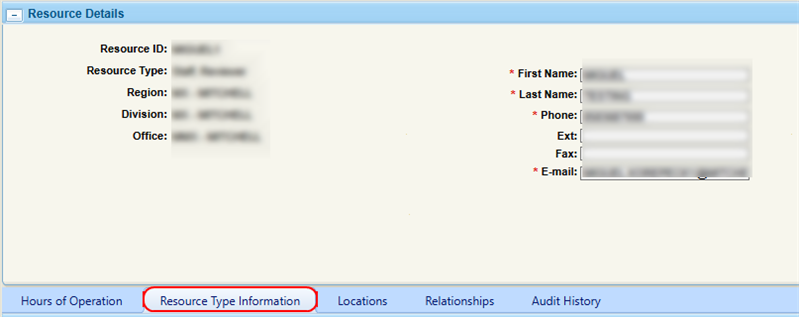
On the Resource Details page, select the Resource Type Information tab.
-
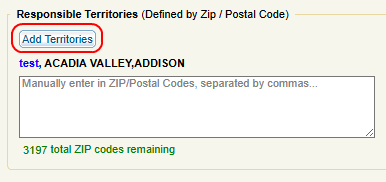
Select Add Territories.
-
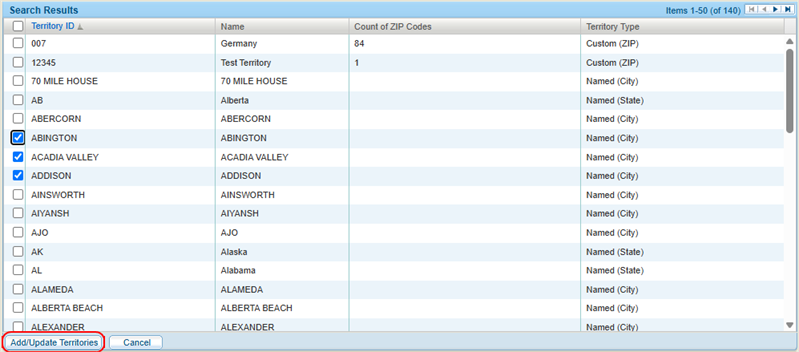
In the Add Territories window, enter the required territory search criteria, then select Search.

-
Select the check box(es) next to the desired Territory IDs.
-
Select Add/Update Territories.
-
Do one of the following when finished:
-
Select Save.
-
Select Save & Close.
-
Manually Enter ZIP/Postal Codes
-
On the Resource Details page, select the Resource Type Information tab.
-
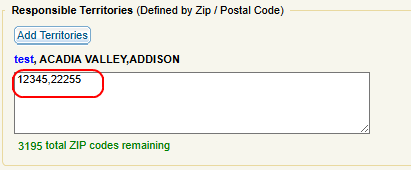
Enter the desired ZIP/Postal code(s) in the field, separated by commas.
-
Do one of the following when finished:
-
Select Save.
-
Select Save & Close.
-
Add Responsible Territories by Radius
-
On the Resource Details page, select the Resource Type Information tab.
-
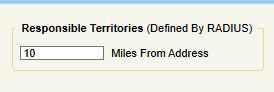
Enter the radius from the resource's address in the field.
-
Do one of the following when finished:
-
Select Save.
-
Select Save & Close.
-
Related topics
