Use Selective Sharing for Attachments
Use selective sharing options on the Attachments page to set attachments to private or shared. Attachments set as shared are sent to the insurance company or other partners when you click Send on the Job Overview page. Attachments set to private are only visible to Mitchell Connect users in your shop. You can also sort shared and private photos on the Attachments page.
Note: This feature is not available on all jobs. This feature only works on assignments from insurance companies. Attachments default to Private for walk-in jobs that you create for Mitchell Cloud Estimating.
How to
 Selective Sharing: Set Images to Private or Share with Insurance
- Add attachments.
- On the Attachments page, click Select.
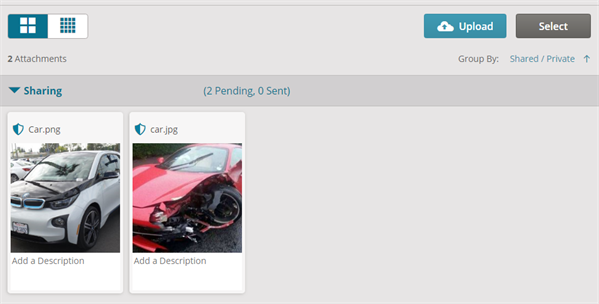
- Select the attachments you want to mark as private or mark as shared.
- Click Sharing Options.
- Click one of the following:
- Insurance: Flag the attachment for sharing. This attachment is sent to the insurance company when you click the Send button on the Job Overview page.
- Keep Private: Flag the attachment as private. This attachment is not shared and is only visible to Mitchell Connect users in your organization.

- Click Apply.
Group and Sort Attachments for Selective Sharing
Sort your attachments on the Attachments page by Shared or Private.
Note: This feature is not available to all users and is only available on jobs with sharing options enabled.
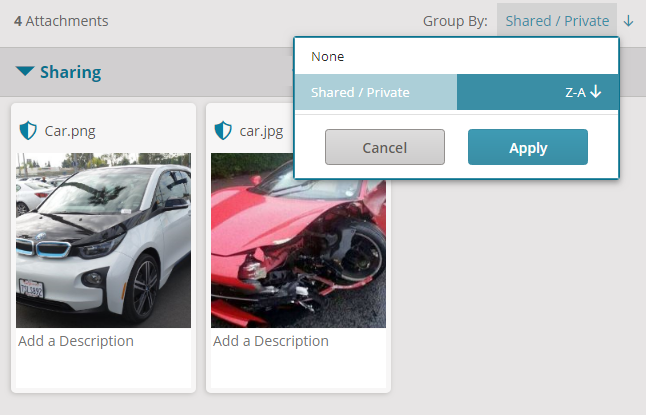
- Sort groups of shared and private attachments: Click

 or click Shared/Private,
 - Un-group shared and private attachments: Click Shared/Private, click None, and then click Apply.
- Group shared and private attachments: Click None, click Shared/Private, and then click Apply.
Related topics