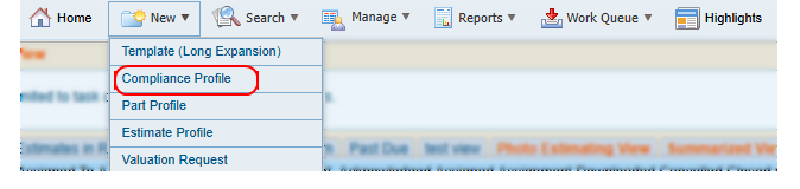
Create and Manage Conditional Rules
Define conditional rules to customize compliance profiles.
How to
 Create a Conditional Rule
-
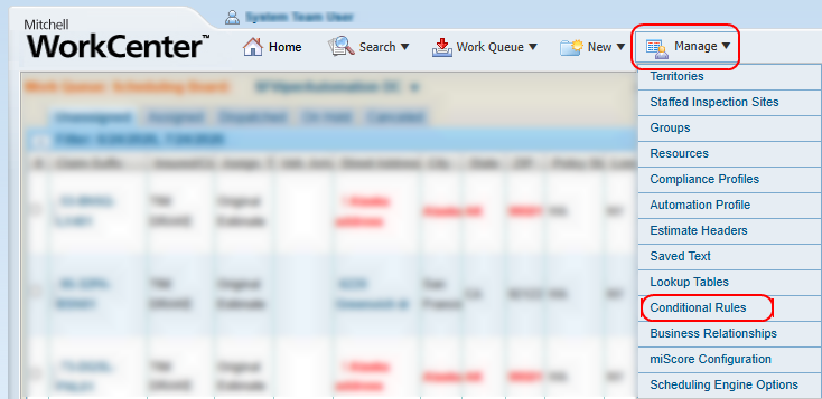
On the Manage menu in the navigation bar, select Conditional Rules.
-
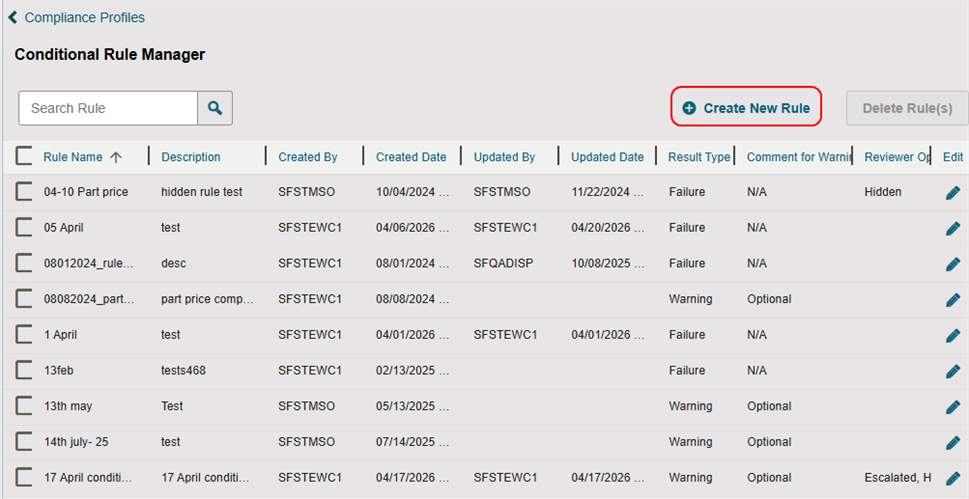
On the Conditional Rule Manager page, select Create New Rule.
-
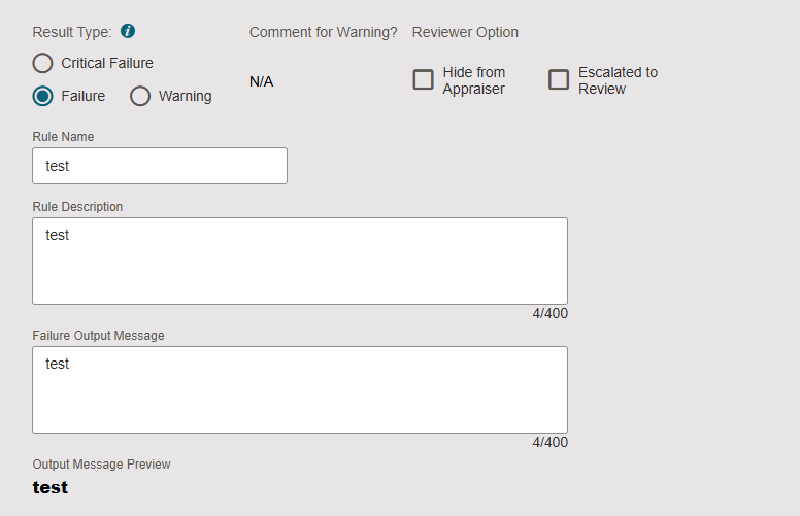
Select a Result type.
-
Select the desired Reviewer Option checkbox(es).
-
Enter a Rule Name, a Rule Description, and a Failure Output Message.
Note: Rules must have unique names. Duplicates are not allowed.
-
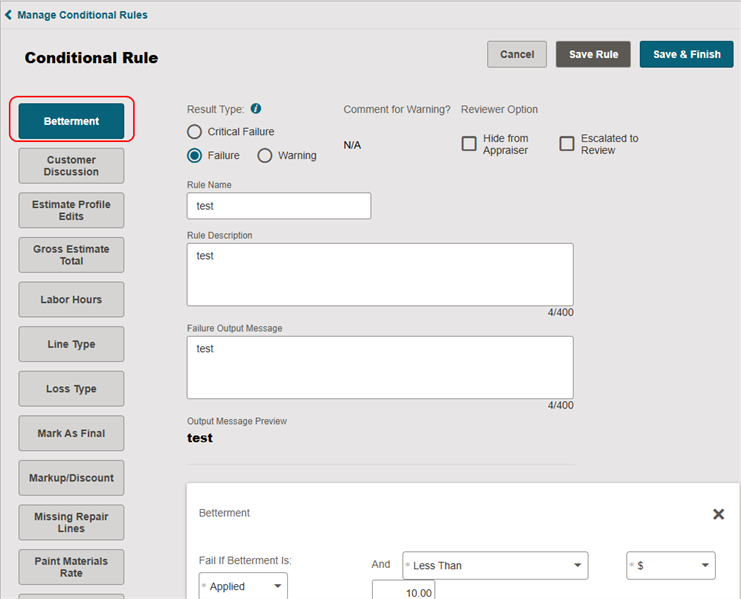
Select the desired rule card(s).
-
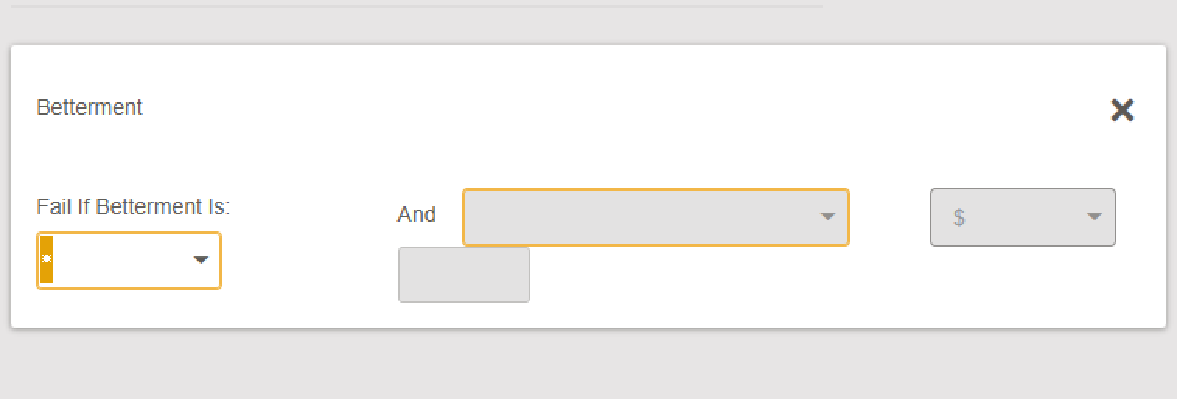
Edit the information for the conditional rule(s).
Note: Required information varies based on the rule card selected.
-
Do one of the following:
-
Select Save Rule to save your rule information and continue working.
-
Select Save & Finish to save your rule information and complete the rule.
Delete a Conditional Rule
-
On the Conditional Rule Manager page, do one of the following:
-
Select the check box next to Rule Name to select all the rules.
-
Select the individual check box(es) next to the desired rule(s).

-
-
Select Delete Rule(s).
-
In the confirmation window, select Delete Rule.
Edit a Conditional Rule
-
On the Conditional Rule Manager page, select
 for the desired rule.
Create a Parts Details Conditional Rule
(This is the Drop-down text)
-
On the Manage Conditional Rules page, select Create New Rule.
-
Select a Result type.
-
Select the desired Reviewer Option check box(es).
-
Enter a Rule Name, a Rule Description, and a Failure Output Message.
-
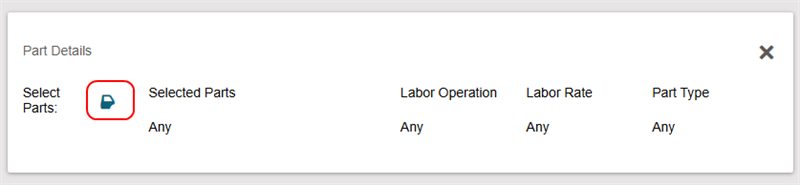
Select the Part Details card.
-
Select
 .
.
-
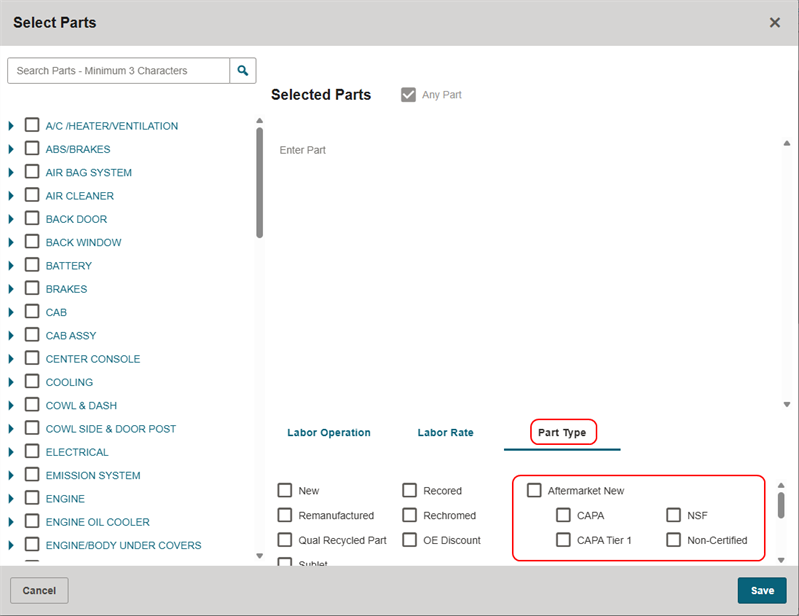
In the Select Parts window, make the desired part selections
Select the check box(es) to select the desired part. select the Part Type tab.
-
Select the check box(es) next to one or more Aftermarket New certification types.
-
Select Save & Finish.
Reference
Conditional Rule Components
| Name | Description |
|---|---|
| Rule Name |
The name of the compliance rule. |
| Rule Description | A description of the rule. |
| Failure Output Message | The message that will display if an estimate fails to pass the conditional rule. |
| Result Type |
Select the Result Type for when an estimate fails the compliance rule:
|
| Comment for Warning? | If applicable, you can require a comment for warnings as well as failures. |
| Reviewer Option | Select the Hide from Appraiser or Escalated to Review check box(es) as desired. |
| Estimate Version(s) | Select which estimate versions (original, supplement, etc.) to which the rule applies. |
Conditional Rule Card Definitions
| Card Title | Definition |
|---|---|
| Betterment | Triggers when the estimate's betterment amount meets a specified comparison and dollar value condition. |
| Markup/Discount | Triggers when the estimate's markup or discount percentage matches the defined criteria. |
| Labor Hours | Triggers based on repair line labor hours or differences between judgment labor hours and CEG labor guide values. |
| Loss Type | Triggers when the claim is associated with one or more selected loss types. |
| Line Type | Restricts rule evaluation to a specific line type rather than evaluating both CEG and manual lines. |
| Paint Materials Rate | Triggers when the hourly paint materials rate in the estimate profile meets the specified condition. |
| Estimate Profile Edits | Triggers based on changes made to selected estimate profile fields, groups, or sections. |
| Mark As Final | Triggers depending on whether the estimate has been marked as final or not marked as final. |
| Gross Estimate Total | Triggers when the total estimate amount meets specified criteria for selected estimate types. |
| Missing Repair Lines | Triggers when specified repair-line text entries are missing from the estimate. |
| Customer Discussion | Triggers based on state/province selection and customer discussion status, including agreement outcomes. |
| Deductible | Triggers based on the presence of a deductible and/or when the deductible amount meets specified criteria. |
| Estimate Status | Triggers when the estimate has the selected status. |
| ACV Threshold | Triggers when the estimate total meets a specified relationship to the vehicle's ACV threshold. |
| Vehicle Details | Triggers for selected vehicle year, make, and model combinations. |
| Vehicle Age/Vehicle Odometer | Triggers when vehicle age, odometer mileage, or both meet specified criteria. |
| Part Details | Triggers based on selected parts, labor operations, labor rates, or part types within the estimate. |
| Parts Profile Check | Triggers when no parts profile is configured for the estimate profile. |
| Parts Provider | Triggers when an alternate part originates from one or more selected parts providers. |
| Part Price | Triggers when a part's price meets the specified comparison and dollar value criteria. |
| Part Price Comparison | Triggers when the actual part price differs from the cheapest alternate part by a specified percentage or dollar amount. |
| Pre-Tax Discount | Triggers when the estimate's pre-tax discount percentage meets the specified criteria. |
| State/Zip Code | Triggers based on selected states, zip codes, or a combination of both associated with a contact type. |
| Repair Status | Triggers when specified repair process statuses or milestone dates are missing from the estimate. |
| Property Damage Limit | Triggers when the policy's property damage limit meets the specified comparison and dollar value criteria. |
| Point Of Impact | Triggers based on selected primary and/or secondary points of impact recorded for the vehicle damage. |
Select Parts Window Components
| Name | Description |
|---|---|
| Search Parts |
Search the parts category list using at least three characters and select |
| Part Category List | Select the  to expand any category in the list. Select the check box(es) next to the desired parts to add them. to expand any category in the list. Select the check box(es) next to the desired parts to add them. |
| Selected Parts | Any parts you have selected will appear here. You can also manually type a part in the Enter Part field. |
| Any Part |
Select the check box to select all parts and remove any individually selected parts from the Selected Parts field. |
| Labor Operation Tab | Select the check box(es) next to the desired labor operation(s). |
| Labor Rate | Select the check box(es) next to the desired labor rate(s). |
| Part Type Tab | Select the check box(es) next to the desired part type(s). |
| Part Type Tab —Additional Part Information | Select the check box to include parts made up of aluminum, high strength steel, and other special materials. |