Editing a Claim
You can edit a claim as more information becomes available or if changes are required.
NOTE: You must have the required permissions to edit claim.
How to
 Edit the claim details
-
If you are not already viewing a claim, check your Work Queue, or Search, for assignments. Then, open the estimate and view the Claim.
-
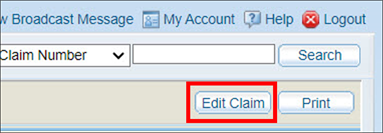
Click Edit Claim.
-
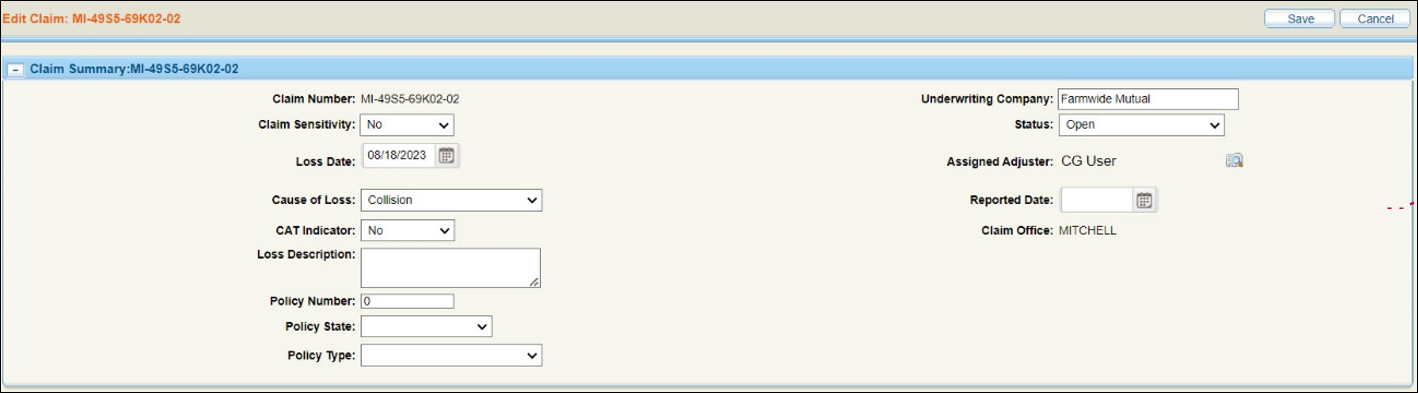
Update the claim by changing any of the items in the window.
-
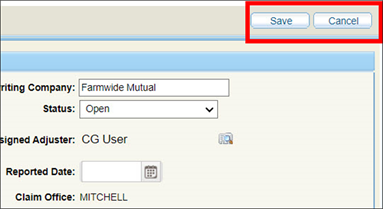
Click Save to save your changes, or Cancel to close the window and return to the Claim Details window.
The Edit Claim window appears.
Reference
Component Descriptions
|
Claim Number |
You cannot edit this number. |
|
Claim Sensitivity |
You may not be able to select a new sensitivity level. |
|
Loss Date |
Date of Loss |
|
Cause of Loss |
Select a cause of loss from the list. |
|
Loss Description |
Add any details to explain or describe the loss. |
|
Policy Number |
The policy number. |
|
Status |
Select the status of the claim from the list. |
|
Assigned Adjuster |
Shows the currently assigned adjuster. To change the assigned adjuster, click the icon to open the Resource Lookup window. |
|
Reported Date |
The date the loss was reported. |
|
Claim Office |
The address of the office for the currently assigned adjuster. |

