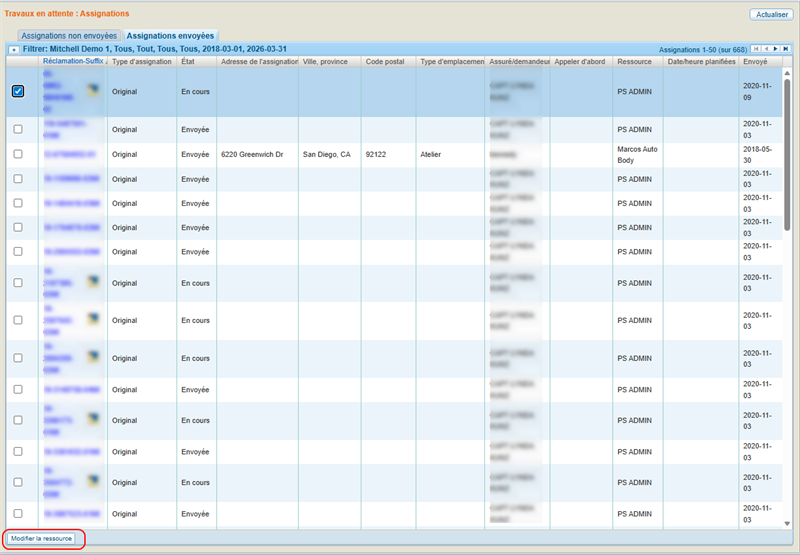
Sent Assignments Tab
The Work Queue allows you to view your desired work items in the workspace. When you open Assignments from the Work Queue menu, the assignments are divided between two tabs: the Not Sent Assignments tab and the Sent Assignments tab.
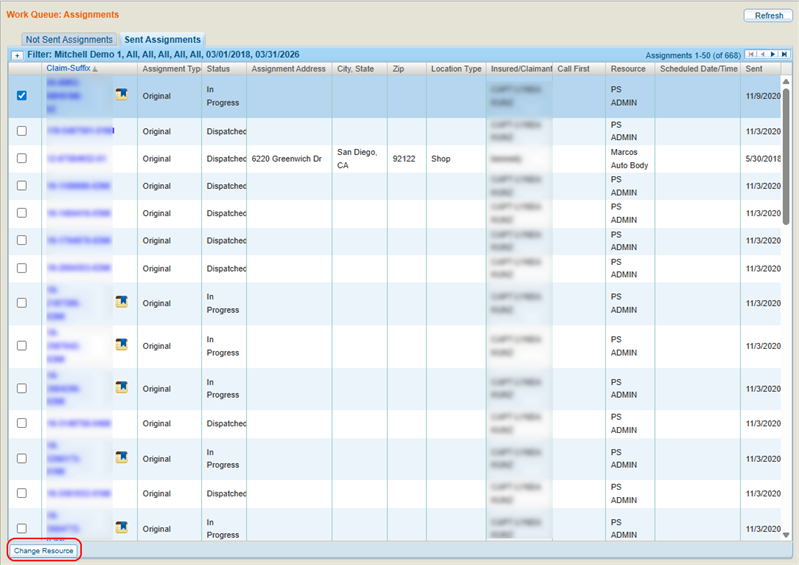
The Sent Assignments list includes all assignments that have been sent to an appraiser. Use the Sent Assignments list to:
-
View assignment and claim-suffix details
-
Change the resource assigned to do the appraisal
Note: Assignments are removed from the list when marked Canceled or Closed.
How to
 View the Sent Assignments Tab
-
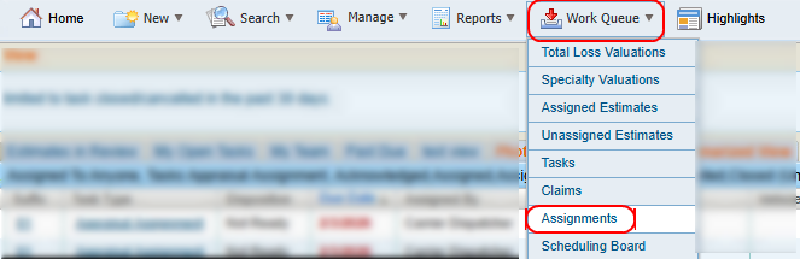
On the Work Queue menu in the navigation bar, select Assignments to open the Assignments Work Queue page.
-
Select the Sent Assignments tab to view the desired assignment list.
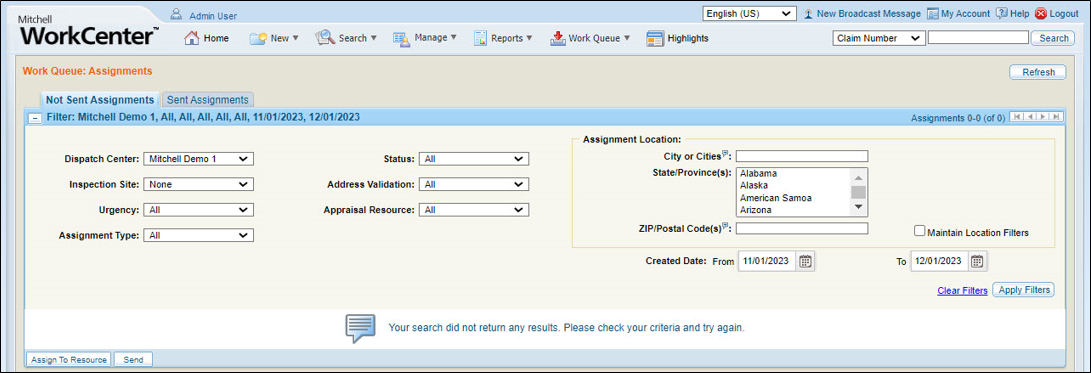
- Use the available filters to limit the assignment list to only show the items you want.
- Select any column heading to sort the list. A
 next to the column heading indicates ascending order. A
  next to the column heading indicates descending order.
 - Select any Claim-Suffix number to open the claim and view its claim and assignment details.
Change the Assigned Resource from the Sent Assignments Tab
-
On the Work Queue menu in the navigation bar, select Assignments to open the Assignments Work Queue page.
-
Select the Sent Assignments tab.
-
Select the check box(es) for the desired assignment(s).
-
Select Change Resource.
-
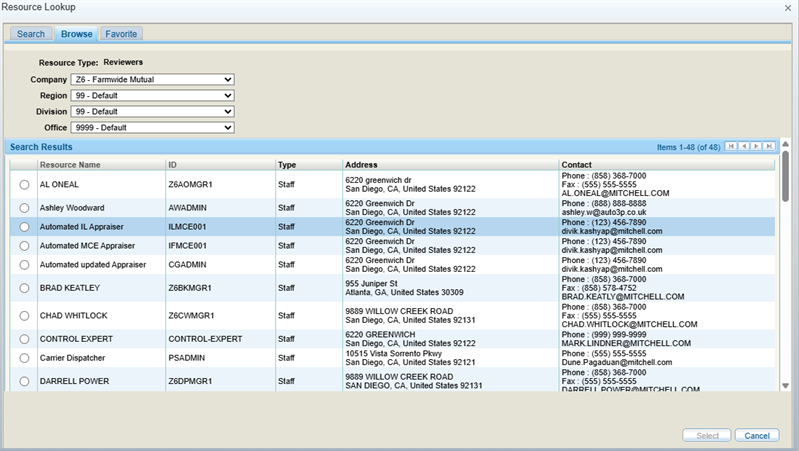
Select a resource from the Resource Lookup window that displays. You can search for a particular agent, browse all agents, or select one from your favorites.
-
Click Select to assign the resource to the assignment.
Reference
Filter Components
| Name | Description |
|---|---|
| Dispatch Center | Select a dispatch center to view only the assignments whose claim-suffixes are associated with that center. |
| Inspection Site | Select an inspection site to view only the assignments whose claim-suffixes are associated with that site. |
| Urgency | Select an urgency level from the list to view only those assignments whose claim-suffixes have that level of urgency. |
| Assignment Type | Select All, Original, or Supplement to view only assignments of that specific type. |
| Status | Select a claim-suffix status to view only the assignments whose claim-suffixes have that status. |
| Address Validation | Select All, Valid, or Invalid to view only assignments with that type of address validation. |
| Appraisal Resource | Select All, Assigned, or Unassigned to view only assignments that have/have not been assigned to a resource. |
| Assignment Locations | Enter the City, State/Province, and ZIP/Postal Code to view only assignments within that location. You can enter more than one City or ZIP/Postal Code by separating them with commas. |
| Maintain Location Filters | Select the check box to retain the Assignment Location filters if you select Clear Filters. This allows you to clear all filters except the Assignment Location filters. |
| Created Date | The date the claim was first entered. Select a range, or select  to choose an exact date. to choose an exact date. |
| Clear Filters | Select to reset the filters. When the Maintain Location Filters check box is selected, the Assignment Locations will not be cleared. |