Supplement to Self
After you complete an estimate review, you can assign its supplement assignment to yourself.
How to
 Supplement to Self
-
Navigate to the details page of the estimate you want to supplement.
-
Select Supplement to Self.
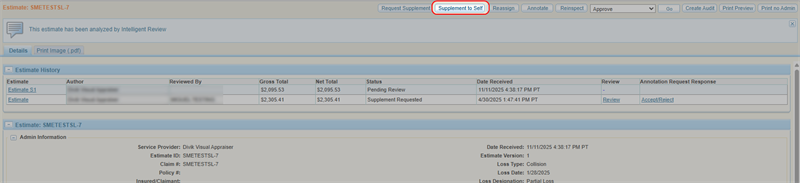
-
Select Continue to import existing claim-suffix information into your request and create the self supplement.
Note: You can also select Cancel if you do not want to import any existing information. If you do this, you will have to follow the steps to create a new assignment. See Create an Assignment for more information.
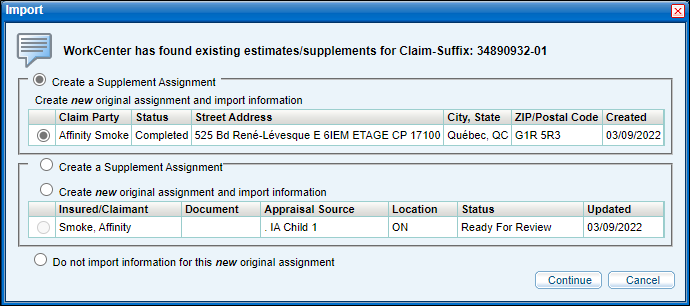
-
Make revisions as needed and close the supplement.
Related topics
